Last Updated: November 9, 2026
Quick Summary
To stop cgm adhesive allergies, prep clean, dry skin on a fresh site, apply a thin skin barrier and let it dry, and rotate sites so the same patch is not under stress. Watch for redness, itching, or bumps that stay inside the sensor outline or return on the same spot.
- Wash the site with mild soap, dry it fully, then wipe with alcohol and let it air dry.
- Apply a skin barrier wipe or film in a thin layer and let it dry fully before applying the sensor.
- Skip lotions, oils, and creams on the sensor site because they can weaken the adhesive.
- Keep a log of application date, site, and skin appearance at removal to spot patterns within two or three wears.
- See a healthcare provider if the rash is severe, blistered, spreading, or painful.
Table of Contents
Skin reactions are one of the most common reasons people stop wearing a continuous glucose monitor. Allergic contact dermatitis is the most frequently reported skin problem linked to diabetes medical devices, according to a review in PubMed Central on contact dermatitis to diabetes devices. A sore, itchy patch can disrupt daily life for people who depend on their sensor.
A cgm adhesive allergies case is an immune reaction to one or more ingredients in the tape or glue that holds the sensor to your skin. It is not the same as a simple scrape or a tight fit. The reaction can build over days or weeks, so it may not appear on the first wear.
Several factors raise the odds of cgm adhesive allergies. Sweat, heat, and friction loosen the adhesive and irritate skin. Repeated wear on the same spot adds to the problem. Many people also reuse the same site, which keeps the same area under stress.
Common signs of an adhesive reaction include:
- Redness that stays after the sensor is removed
- Itching or burning under the sensor
- Small bumps, blisters, or weeping skin
- Sensors that peel early despite careful application
Skin problems are among the reasons some people discontinue continuous glucose monitoring. Recognizing the cause early gives you a better chance of keeping your sensor in place.
How to Tell Irritation From an Adhesive Allergy
An irritation rash and an allergic rash can look alike, but they behave differently. Irritation usually comes from friction, moisture, or a sensor that sits too tightly. It often improves once you change the site and keep the area dry.
An allergic reaction tends to spread beyond the sensor edges and may return each time you apply a new sensor to the same spot. If your skin reacts every time you wear a sensor, an allergy is more likely.
Keep a simple log. Note the date you applied the sensor, the site, and what your skin looked like at removal. Patterns often show up within two or three wears.
Ask yourself these questions:
- Does the rash stay inside the sensor outline or spread past it?
- Does it return on the same spot with every new sensor?
- Does it improve within a few days after removal?
- Have you changed products, soaps, or lotions recently?
If the rash is severe, blistered, spreading, or painful, contact your healthcare provider before trying more products. A clinician can help confirm the cause and suggest the right next step.
Step-by-Step Skin Prep and Barrier Application
Good skin prep gives the sensor its best chance to stay put and reduces contact with irritating ingredients. Start with clean, dry skin on a site you have not used recently.
- Wash the area with mild soap and water, then dry it completely.
- Wipe the site with an alcohol pad and let it air dry.
- Apply a skin barrier wipe or film in a thin layer, following the product instructions.
- Let the barrier dry fully before applying the sensor.
- Press the sensor firmly for the time the manufacturer recommends.
Skip lotions, oils, and creams on the sensor site. They can weaken the adhesive. Rotate sites so the same patch of skin is not under stress every time.
Visual Walkthrough: Applying a Barrier Film
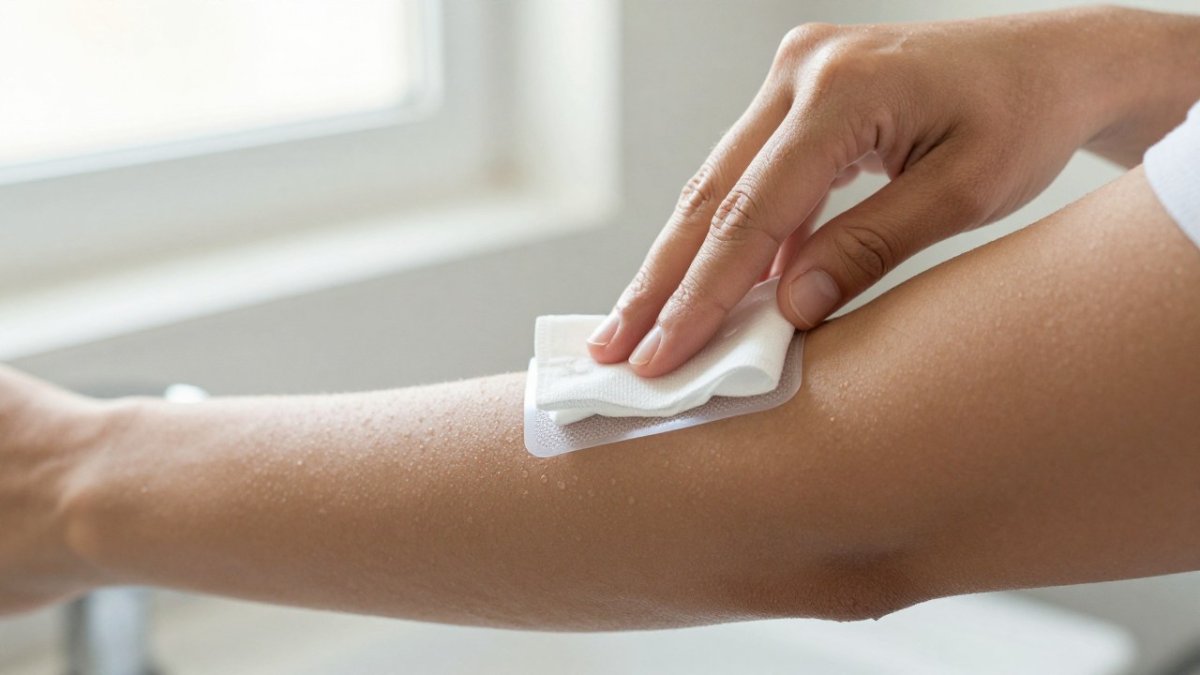
Picture the process before you start: clean hands, a dry arm, and a sensor placed on a freshly prepped spot. Apply the barrier in small, even strokes, then give it time to set before you press the sensor down.
Using Dexcom G7 UnderPatch for Sensitive Skin
Some users with sensitive skin use an underlayer between the skin and the sensor. Some people use an underlayer product for sensitive skin; check the manufacturer’s current instructions before use. Check the current instructions from the manufacturer before use, since product details can change.
An underlayer can reduce direct contact between the adhesive and your skin. It does not replace good prep or a patch test. If you notice new itching after adding an underlayer, stop using it and speak with your provider.
Treating Adhesive Allergy Symptoms and Persistent Rashes
For mild irritation, remove the sensor gently, clean the area, and let the skin rest before the next wear. Avoid scratching, which can make the rash worse. Ask your provider about topical treatments that suit your skin.
If the rash does not clear, or if it keeps returning, talk with a healthcare professional. They can check for an allergy and help you choose a different adhesive or site.
Pediatric Tips and Protecting Sensors for Active Lifestyles
Children and active adults face extra stress on their sensors from play, sports, and sweat. Compare sensor-protecting accessories for active days to find options that hold up during workouts. Choose sites with less movement, such as the back of the upper arm, and keep the skin dry before application. Our product guide for sensor protection lists options for active days.
Booking Your Next Step With a Sensor Protection Plan
Start with clean skin, rotate your sites, and watch for early signs of a reaction. If your sensor keeps peeling or irritating your skin, a sensor protection plan can help. Learn more about protective gear for Libre sensors or review practical fixes for peeling sensors. Get started with Libre Shield to keep your sensor secure through every workout and workday.
Frequently Asked Questions
What happens if you are allergic to CGM adhesive?
Adhesive allergy usually shows up as redness, itching, swelling, or a raised rash under and around the sensor. Allergic contact dermatitis is among the skin reactions reported with diabetes devices, and skin problems are one reason some people stop using continuous glucose monitoring. Because the reaction can worsen with each new sensor, it is worth documenting the pattern, removing the sensor if the skin is blistering or painful, and talking with your diabetes care team about alternatives before the next application.
Should I remove my CGM if I develop a rash?
If the rash is mild and the sensor is still reading accurately, many people manage it by cleaning the area, adding a barrier layer, and monitoring the skin closely. If the skin is blistering, oozing, very painful, or spreading, remove the sensor and contact your healthcare provider. Keep fingerstick glucose checks available as a backup while the skin heals, and do not keep wearing a sensor that is causing significant injury.
How can I stop my CGM from itching?
Itching often comes from a mix of adhesive irritation, sweat trapped under the patch, and friction. Clean and fully dry the skin before application, apply a skin barrier wipe or film where the adhesive sits, avoid rotating the sensor onto already irritated skin, and consider an underlayer designed for sensitive skin. If itching persists across several sensor changes, ask your provider whether an allergy evaluation or a patch test makes sense.
When should I contact a healthcare professional about a CGM rash?
Contact your provider if the rash spreads beyond the sensor area, shows blistering, crusting, or signs of infection such as warmth, pus, or increasing pain, or if it keeps returning despite barrier products. A provider can help identify which adhesive ingredient may be the trigger, decide whether a patch test is appropriate, and recommend a product or site plan that protects your skin while keeping your glucose data reliable.
