Last Updated: November 21, 2026
Quick Summary
To make a CGM sensor last its full wear period, start with clean, dry, oil-free skin, press the applicator down firmly and evenly, and add an overpatch or armband to block moisture and friction. No technique can extend a CGM sensor past its approved wear period, so protect the wear time your device actually has.
- Wash the site with mild soap and warm water, rinse, pat dry, then wipe with an alcohol pad and let it air dry.
- Run a finger around the sensor edge for 10 seconds after application to seat the adhesive ring.
- Press the overpatch down for 30 seconds, especially around the perimeter.
- Never reattach or reuse a sensor that falls off early; contact the manufacturer for a replacement.
- A Dexcom study found 73.9% of G7 15 Day sensors lasted the full 15 days when used per instructions.
Table of Contents
- Why Your CGM Sensor Falls Off Before Day 14
- CGM Sensor Skin Preparation That Actually Holds
- Applying the Sensor With Firm, Even Pressure
- How to Stop CGM Sensor Peeling Off During Daily Wear
- CGM Overpatch for Sensor Protection: What Works and What Doesn’t
- How to Keep a CGM Sensor On During Exercise and Water Activities
- When a Sensor Falls Off Early: Device Limits and Next Steps
- Choosing a Sensor Protection Armband for Your Routine
- Frequently Asked Questions
Why Your CGM Sensor Falls Off Before Day 14
A CGM sensor is a small wearable device that tracks your glucose levels under the skin and sends readings to your phone or receiver. Getting it to stay put for its full wear period is a mechanical problem, not a luck problem.
Here is the truth most guides skip: no technique can extend a sensor past its approved wear period. Dexcom states its G7 is indicated for up to 10 days plus a 12-hour grace period, while Abbott’s FreeStyle Libre 14 Day is built for 14 days. Your job is protecting the wear time your device actually has.
Below, we’ll show you exactly how to make a CGM sensor last 14 days on devices rated for it, and how to protect shorter-wear sensors through their full cycle.
The stakes are real. A Dexcom study on G7 15 Day sensor life found that 73.9% of sensors lasted the full 15 days when used per instructions. That means roughly one in four did not.
CGM Sensor Skin Preparation That Actually Holds
Skin preparation is the single biggest factor in sensor adhesion. Clean, dry, oil-free skin gives adhesive a surface it can bond to.
Abbott advises cleaning and drying the application site before insertion. That sounds simple, but most early detachment starts with a rushed prep.
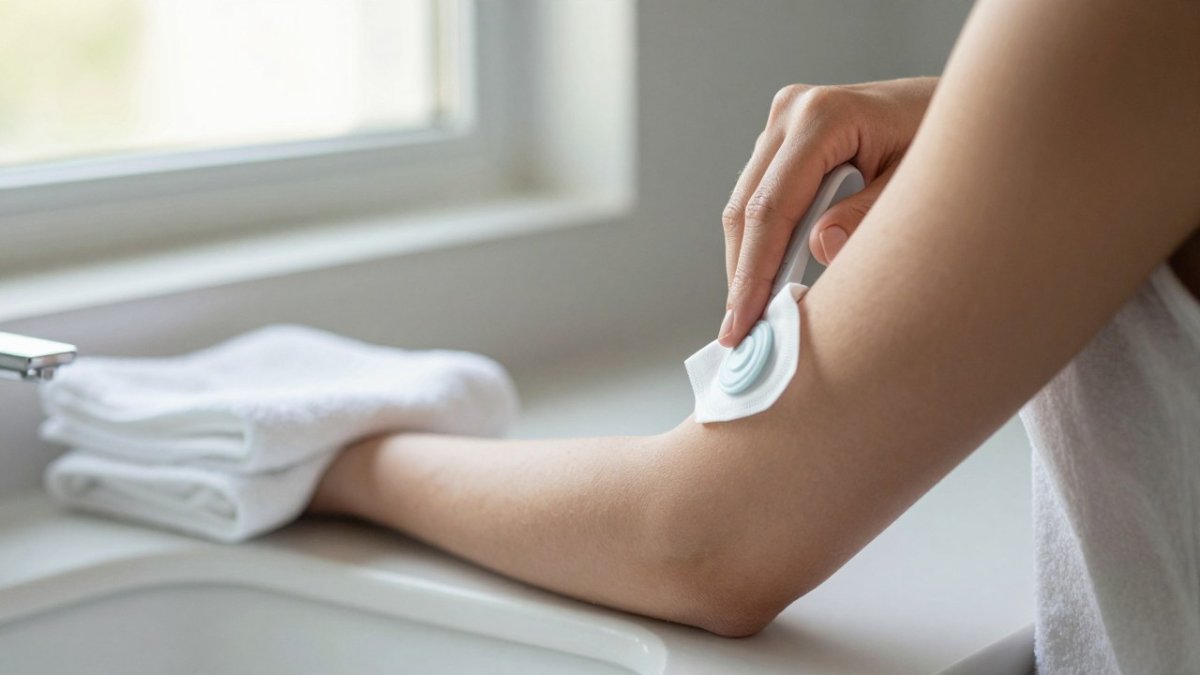
Clean, Dry, and Oil-Free: The Three-Step Routine
Follow this order every time:
- Wash the site with mild soap and warm water
- Rinse fully, then pat completely dry
- Wipe with an alcohol pad and let it air dry
Skip lotions, oils, and sunscreen near the site. These leave a film that adhesive cannot grip.
When to Use an Alcohol Wipe (and When Not To)
Use an alcohol wipe on clean skin, and always let it dry before applying the sensor. Applying to damp skin traps moisture under the adhesive.
But if your skin is sensitive or easily irritated, skip the alcohol and use plain soap and water only. A CGM adhesion tips guide from Not Just a Patch recommends exfoliating, cleaning, and drying the site, plus removing old adhesive residue.
Applying the Sensor With Firm, Even Pressure
Press the applicator down firmly and hold it steady against your skin. Firm, even pressure helps the adhesive make full contact.
A common mistake is pressing at an angle or rushing the release. That leaves one edge slightly lifted, and lifting edges peel fast.
After application, run a finger around the sensor edge for 10 seconds. This simple step seats the adhesive ring.
How to Stop CGM Sensor Peeling Off During Daily Wear
Peeling starts at the edges, usually from clothing friction and moisture. Stop it early or it spreads under the whole sensor.
Try these fixes:
- Press down lifted edges as soon as you notice them
- Avoid tight sleeves and waistbands over the site
- Pat the sensor dry after washing
- Use an overpatch or protective cover for extra hold
For a deeper set of fixes, our guide on how to stop CGM sensor peeling off walks through seven proven methods.
CGM Overpatch for Sensor Protection: What Works and What Doesn’t
A CGM overpatch is an adhesive overlay that covers the sensor body and its edges to block moisture, friction, and snags. It works by extending the adhesive footprint beyond the sensor’s own patch, so peeling force is spread over a larger area instead of concentrating at one edge.
What works:
- Applying the overpatch to clean, fully dry skin after the sensor has seated for a few minutes
- Centering the patch so it covers the sensor’s adhesive ring evenly, with no wrinkles or trapped air
- Choosing a breathable, moisture-wicking material for sweaty wear and a waterproof film for swimming
- Pressing the patch down for 30 seconds, especially around the perimeter
What doesn’t work:
- Layering a patch over a sensor that is already lifting, fix the edge first or the patch just lifts with it
- Applying to damp skin or over lotion residue, which traps moisture and weakens both adhesives
- Covering the sensor’s transmitter opening or vent area, which can interfere with readings or signal
- Stacking multiple patches, which adds bulk, catches clothing, and can pull the sensor off faster
Watch out: an overpatch is an adhesion aid, not a wear-time extender. It does not change your device’s approved wear period, and you should follow the instructions for your specific sensor before adding any overlay.
Skin sensitivity matters here. If you’ve had adhesive reactions, try a barrier wipe under the patch and test a small area first. If irritation develops, remove the patch and sensor and seek clinical advice. If you’re weighing covers against armbands, our CGM sensor covers vs armband comparison breaks down the trade-offs.
How to Keep a CGM Sensor On During Exercise and Water Activities
Sweat and water attack adhesion in different ways. Sweat contains salts and oils that degrade the adhesive layer from underneath, while sustained water exposure softens the patch and lets edges curl. Friction from clothing and equipment then finishes the job. Matching the fix to the cause is what keeps a sensor on through real activity.
Cause: sweat during workouts
- Mechanism: moisture and salt break down the adhesive bond, especially under a tight shirt or strap
- Fix: wear a moisture-wicking overpatch or armband, pat the site dry immediately after exercise, and check edges before they lift
Cause: swimming, bathing, or hot tubs
- Mechanism: prolonged soaking softens the adhesive and lets water wick under the edges
- Fix: use a waterproof cover, rinse off chlorine and salt water, and dry the area thoroughly afterward; avoid hot tubs if your device instructions advise against them
Cause: friction and snags
- Mechanism: repeated rubbing from clothing, straps, or equipment concentrates force at one edge
- Fix: choose a site away from waistbands and backpack straps, wear looser clothing over the sensor, and use an armband for contact sports
Cause: heat and humidity
- Mechanism: heat softens adhesive and increases sweat, so the patch slides before it peels
- Fix: apply to fully dry skin, use a breathable patch, and re-press edges after heavy sweating
Watch out: no cover or technique extends a sensor past its approved wear period. If a sensor falls off early, do not reattach or reuse it, contact the manufacturer for a replacement and record the date, site, and activity so you can spot patterns.
For sports-specific tactics, see our guide on keeping your sensor secure during sports.
When a Sensor Falls Off Early: Device Limits and Next Steps
A sensor that falls off early cannot be safely reattached, and no adhesive trick restores a lost sensor. Call the manufacturer for a replacement and document what happened.
Watch out: never try to extend a sensor past its labeled wear period. The research does not establish any safe method for that, and readings may not be reliable.
If you want the broader proven-methods playbook, read how to keep a CGM from falling off.
Choosing a Sensor Protection Armband for Your Routine
An armband adds physical security that adhesive alone cannot match. It suits swimmers, gym-goers, construction workers, and kids at school.
Here is a quick decision guide:
| Your Situation | Best Protection | Why |
|---|---|---|
| Swimming or hot tubs | Waterproof armband | Blocks sustained water exposure |
| CrossFit or contact sports | Secure armband | Resists sweat and movement |
| Physical job, bumping | Armband with cover | Shields against knocks and snags |
| Sensitive skin | Barrier wipe plus armband | Reduces adhesive contact |
| Child at school | Small armband | Stays put through play |
Libre Shield sensor saver armbands are designed for continuous glucose monitoring sensor security and performance protection during daily activities. You can browse the sensor protection armband range to match one to your routine.
Sensors that peel, snag, and fall off cost you money and data. Libre Shield armbands are built to hold your sensor secure through sweat, water, and impact, with durable construction made for active daily life. Get started with Libre Shield and keep your CGM protected through every workout, swim, and workday.
Frequently Asked Questions
Can I restart or extend a CGM sensor after its wear period ends?
Wear duration is set by the manufacturer and varies by device. Dexcom states the G7 is indicated for up to 10 days plus a 12-hour grace period, while the FreeStyle Libre 14 Day is a 14-day system. The research supplied for this article does not establish a safe method for extending a sensor beyond its labeled duration. Following the device’s approved wear period protects reading accuracy and avoids skin complications from prolonged adhesive contact.
How do I stop my CGM sensor from peeling off at the edges?
Edge lifting usually starts with oils, lotion, or moisture under the adhesive. Wash the site with soap and water, dry it fully, and avoid lotions before application. Press the applicator firmly and evenly for the full recommended time. During wear, keep clothing from snagging the sensor edge and add a protective overlay or armband if you sweat heavily or swim. If the edge lifts, a CGM overpatch for sensor protection can hold it down, but it cannot restore a sensor that has already detached.
Can I use an overpatch to keep a CGM sensor attached?
Yes. Adhesive overlays and overpatches are widely used to reinforce the sensor’s own adhesive, especially for people who exercise or swim. Apply the overpatch to clean, dry skin and press it down firmly. The research notes that adhesion tips cannot guarantee full-duration wear; a Dexcom-reported study found 73.9% of G7 15 Day sensors lasted the full 15 days when used per instructions. Overpatches help, but they are not a substitute for proper skin prep or device-specific wear limits.
How do I keep a CGM sensor on during exercise and showers?
For exercise, prepare the skin thoroughly, apply the sensor with firm pressure, and consider a protective armband for high-contact sports like CrossFit or construction work. For showers and swimming, keep the site dry where possible and pat the sensor dry afterward rather than rubbing. Abbott advises cleaning and drying the application site before insertion, and adhesion guidance recommends keeping skin dry throughout wear. If you swim or use a hot tub regularly, a waterproof armband adds a physical barrier that adhesive alone cannot provide.
