Table of Contents
- Why Securing Your Glucose Sensor Matters
- Skin Preparation for Glucose Sensors
- How to Stop CGM Sensor Peeling Off
- CGM Sensor Armbands for Sports
- Troubleshooting Sensor Detachment and Skin Issues
- Maximizing Sensor Longevity and Wear Time
- Frequently Asked Questions
Last Updated: October 2, 2026
Why Securing Your Glucose Sensor Matters
Continuous glucose monitoring sensors are lifelines for diabetes management, but they’re also vulnerable. A sensor that peels off mid-workout, detaches during swimming, or shifts during sleep means lost data, interrupted treatment decisions, and the frustration of replacing an expensive device prematurely. Securing your glucose sensor properly isn’t just about convenience, it’s about maintaining consistent glucose readings and avoiding the financial hit of preventable sensor loss.
The stakes are real. Active individuals, athletes, and people with physically demanding jobs face the highest risk of sensor detachment. Parents managing diabetes in children deal with constant movement and play. Even everyday activities like showering, sweating through workouts, or sleeping restlessly can compromise a poorly secured sensor. At Libre Shield, we understand that your sensor security directly impacts your diabetes management quality and your peace of mind.
This guide covers the best ways to secure glucose sensors, from fundamental skin preparation through advanced protective solutions. You’ll learn practical techniques to prevent peeling, strategies for different activity levels, and how to troubleshoot common detachment issues. Whether you use a FreeStyle Libre or another CGM system, these methods will help your sensor stay put.
The difference between a sensor that lasts 14 days and one that fails at day 5 often comes down to preparation, application technique, and the right protective layer for your lifestyle.
Skin Preparation for Glucose Sensors
Proper skin preparation is the foundation of sensor security. Without it, even the best adhesive patches and protective bands will fail. Your skin’s condition, its moisture level, oils, and cleanliness, determines how well any adhesive will bond and how long that bond will hold.
Cleaning and Drying Techniques
Start with clean skin. Wash the sensor application site with mild soap and water, then dry it completely. This removes oils, dead skin cells, and any residue from previous sensors that can interfere with adhesion. Many people skip this step or rush through it, but thorough drying makes a measurable difference in wear time.
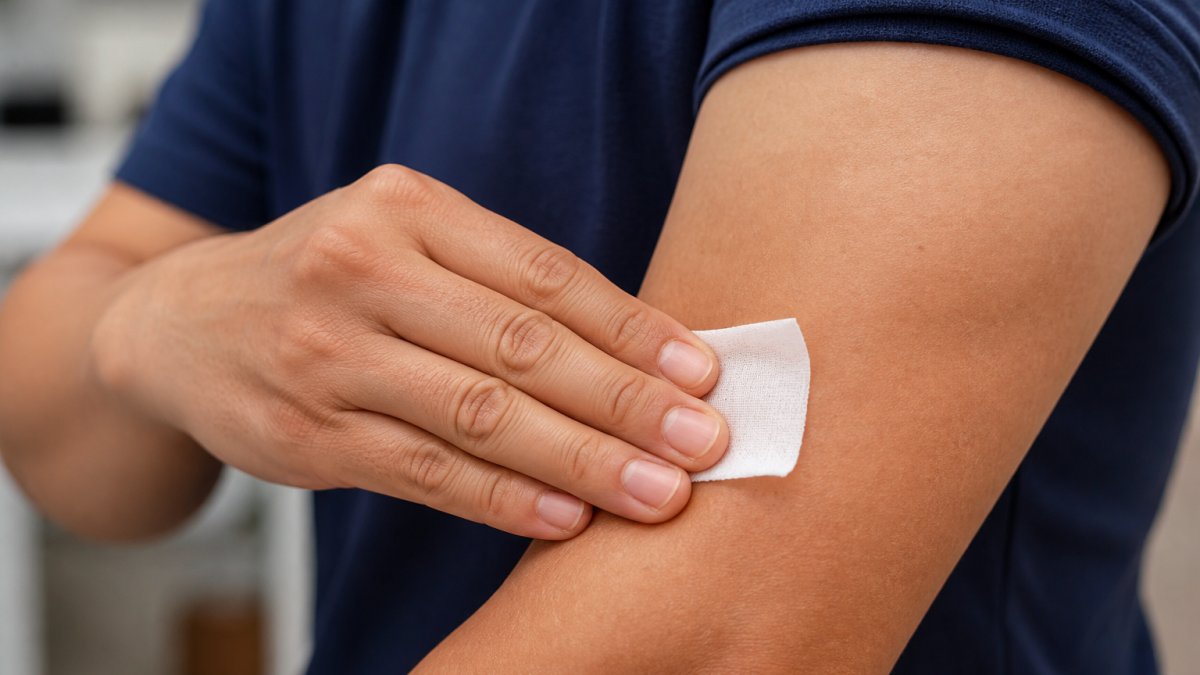
After washing, use isopropyl alcohol to create an additional layer of preparation. Wipe the site with an alcohol pad and let it air dry completely, this typically takes 30-60 seconds. The alcohol removes any remaining oils and creates a slightly tacky surface that improves adhesive grip. This step is especially important for people with oily skin or those who live in humid climates where moisture compromises adhesion.
Allow the alcohol to dry fully before applying your sensor. Applying a sensor to damp skin is one of the most common mistakes. The moisture creates a barrier between the adhesive and your skin, leading to peeling within days. If you’re in a hurry, wait anyway, those extra seconds prevent premature sensor loss.
Avoiding Skin Folds and Creases
The location you choose matters as much as how you prepare it. Avoid areas where skin naturally folds or creases during movement. The inner arm near the elbow, the area directly under your armpit, and skin folds on the abdomen are high-risk zones because movement causes the skin to compress and shift, which stresses the adhesive bond.
Choose a relatively flat area with stable skin. The outer upper arm, the back of the upper arm, and the abdomen (away from natural creases) are ideal. These areas experience less flexing and folding during daily movement, which means less stress on the adhesive and longer sensor life.
If you have limited placement options due to scarring, previous sensor sites, or skin sensitivity, apply your sensor to the flattest part of the available area. Avoid placing it on bone or directly over joints where movement is constant.
How to Stop CGM Sensor Peeling Off
Sensor peeling is the most common problem users face. It starts with a corner lifting, progresses to partial detachment, and ends with a sensor you can’t trust. The solution involves layering protection: first with adhesive barriers, then with mechanical reinforcement.
Adhesive Patches and Over-Bandages
Adhesive patches designed specifically for CGM sensors provide the first line of defense. These patches cover the sensor’s edges and create an extended adhesive surface that reinforces the original sensor adhesive. They’re thin enough that they don’t interfere with sensor readings, and they’re designed to stay in place through sweat, water, and movement.
Popular options include Not Just A Patch, which offers waterproof, sweat-resistant fabric with hypoallergenic medical-grade adhesive. GrifGrips provides extra-strength adhesive specifically engineered for high-intensity sports. Simpatch offers pre-cut holes that align perfectly with sensor transmitters. Fixic Adhesive Patches provide large-format coverage for maximum protection.
Apply your patch immediately after placing your sensor, while the sensor adhesive is still fresh. Start from the center and work outward to avoid trapping air bubbles. Press firmly for 10-15 seconds to ensure complete contact. A well-applied patch typically extends your sensor wear time by 3-5 days and dramatically reduces peeling risk.
If you’re between sensor applications, test your patch adhesion by gently lifting a corner. If it peels easily, remove it and reapply. A loose patch fails to protect and wastes money.
Over-bandages work similarly but cover a larger area. They’re useful if your sensor repeatedly peels in the same location or if you want comprehensive protection. The tradeoff is bulk, over-bandages are more noticeable than patches, though they’re still discreet compared to mechanical protection.
Adhesive Barriers and Application Pressure
Before applying your sensor, consider using an adhesive barrier spray or wipe. Skin-Tac Adhesive Barrier creates a tacky base layer that improves sensor adhesion. It’s hypoallergenic and latex-free, making it suitable for sensitive skin. Apply it to your prepared skin, let it dry per the instructions (usually 30-60 seconds), then apply your sensor to the sticky surface.
The barrier creates a chemical bond between your skin and the sensor adhesive, which is stronger than adhesive-to-skin contact alone. This is especially effective for people with oily skin, those who sweat heavily, or anyone who’s experienced repeated sensor failures.
Application pressure directly impacts how well your sensor adheres. Press your sensor firmly onto your skin for 15-30 seconds after placement. Don’t just tap it, apply steady, even pressure across the entire adhesive surface. This compresses the adhesive into your skin’s texture and creates a seal. Inadequate pressure is a silent killer of sensor longevity.
CGM Sensor Armbands for Sports
When adhesive patches aren’t enough, when you’re swimming, playing contact sports, or doing activities that generate extreme sweat and friction, mechanical protection becomes necessary. Armbands provide hard-shell or soft-pocket protection that keeps your sensor secure regardless of movement intensity.
Hard-Shell Protection vs. Adhesive Solutions
Libre Shield armbands offer hard-shell protection designed specifically for sensor security. The adjustable strap ensures a secure fit that doesn’t slip or rotate during activity.
Hard-shell protection is ideal if you frequently bump your sensor against doorways, equipment, or other people. It prevents physical damage that can cause sensor failure.
Waterproof Options for Swimming and Water Activities
Water is one of the most challenging environments for sensor security. Chlorine, salt water, and prolonged submersion stress adhesive bonds. Waterproof patches like Not Just A Patch are specifically formulated to resist water infiltration. They maintain adhesion even during extended swimming sessions.
Never assume your sensor can handle water without protection. Even water-resistant sensors lose adhesion when submerged repeatedly. Waterproof patches and armbands are non-negotiable for swimmers and water sports enthusiasts.
Troubleshooting Sensor Detachment and Skin Issues
Even with proper preparation and protection, problems occur. Sensors peel, skin irritates, and adhesive residue builds up. Knowing how to address these issues prevents frustration and extends your sensor’s usable life.
Managing Contact Dermatitis and Allergic Reactions
Contact dermatitis, skin irritation from the sensor adhesive, is common, especially with repeated sensor applications in the same area. Symptoms include redness, itching, and sometimes a rash that appears 24-48 hours after sensor placement.
Safe Removal Techniques to Prevent Skin Trauma
How you remove your sensor matters as much as how you apply it. Aggressive removal tears skin, causes pain, and can lead to infection. Use a gentle technique that respects your skin’s integrity.
Maximizing Sensor Longevity and Wear Time
Your sensor’s lifespan depends on consistent security and skin health. Small habits compound into significant improvements in how long your sensors last and how reliably they perform.
Site Rotation and Environmental Factors
Rotate your sensor application sites regularly. Applying sensors to the same location repeatedly causes cumulative skin irritation, reduces adhesion effectiveness, and increases the risk of sensor failure. Most guidelines recommend waiting at least 14 days before reusing a site, though many users find 21-30 days provides better results.
Frequently Asked Questions
How do I stop my glucose sensor from peeling off during exercise or sweating?
Start with thorough skin preparation: clean with isopropyl alcohol and let dry completely. Apply an adhesive barrier spray or Skin-Tac wipe to create a tacky base. Then apply your sensor with firm, even pressure for 30 seconds. For high-intensity activities, reinforce with a waterproof adhesive patch or armband designed for sports. Site rotation every 2 weeks prevents skin degradation that accelerates peeling.
What’s the best adhesive for CGM sensors if I have sensitive skin?
Choose hypoallergenic, medical-grade adhesive products like those used in Not Just A Patch or Fixic patches, which are latex-free and designed for skin compatibility. Before applying any new product, test on a small area for 24 hours. If you experience contact dermatitis, switch to barrier sprays that protect your skin barrier rather than direct adhesive contact. UniSolve Adhesive Remover helps remove products safely without skin trauma if irritation occurs.
Are CGM sensor armbands better than adhesive patches for sports?
Both serve different purposes. Adhesive patches (like GrifGrips) excel at preventing peeling during sweating and movement through superior hold. Armbands like Libre Shield provide protection against physical impact and bumping, plus they’re reusable. For swimming and water sports, waterproof patches offer better protection than armbands. Choose based on your primary concern: adhesion strength, impact protection, or water resistance.
How do I safely remove my glucose sensor without damaging my skin?
Use a medical-grade adhesive remover like UniSolve, which dissolves adhesive residue without stinging or tugging at skin. Apply the remover around the sensor edges, wait 30-60 seconds, then gently peel at a 45-degree angle. Never yank directly upward, as this tears the skin barrier and causes irritation. After removal, wash the area with mild soap and wait at least 2 hours before applying a new sensor to allow skin recovery.